Beyond ChatGPT: It's Time to Build Your AI Productivity Stack
You've experimented with ChatGPT. You've been amazed by its ability to draft emails and brainstorm ideas. But now, the novelty has worn off, and you're left with a pressing question, How do I actually make AI work for me on a daily basis?
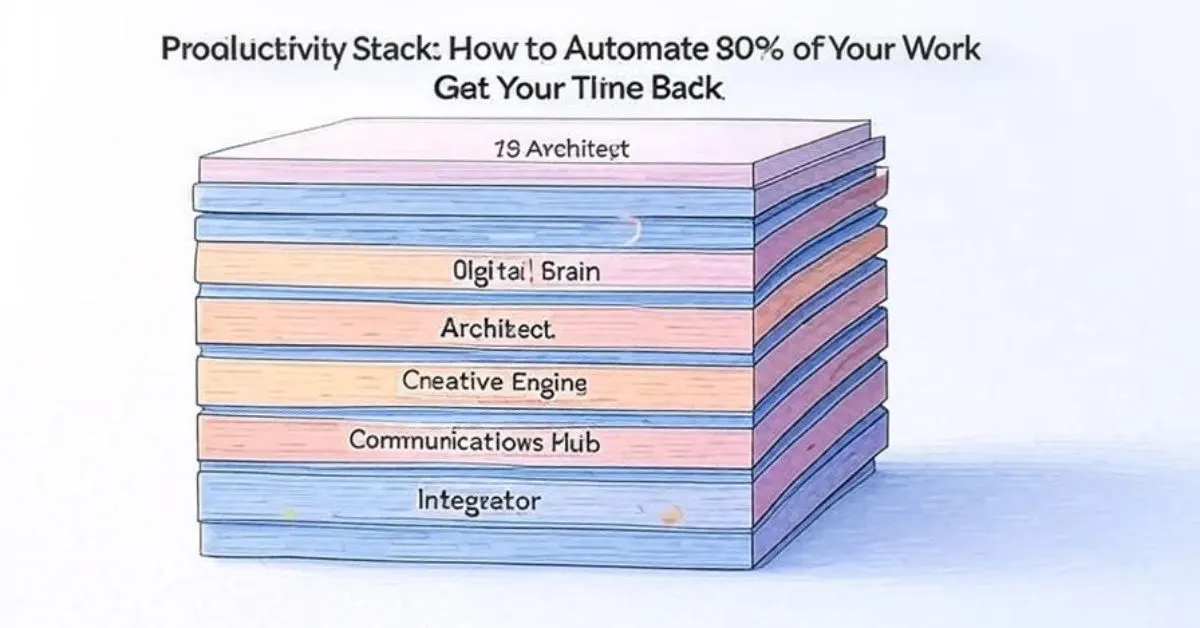
The answer isn't a single tool. It's a system. The future of personal productivity isn't about using one genius AI; it's about building your own AI Productivity Stack—a curated suite of tools that work together to automate the tedious parts of your job, manage your focus, and free you up for the deep, meaningful work that only a human can do.
This guide will walk you through how to architect this system. We'll move beyond basic prompts and into a streamlined workflow that can save you over 10 hours a week, reduce context-switching, and finally make technology feel like a true assistant, not another distraction.
Why a "Stack"? The Power of Integrated Workflows
Relying on a single AI tool is like having a chef who only knows how to chop vegetables. You need a whole kitchen team. An AI stack is a combination of specialized tools, each chosen for a specific job:
A Brainstorming & Writing Co-Pilot (e.g., ChatGPT, Claude)
A Task & Project Management Automator (e.g., Motion, Reclaim.ai)
A Meeting & Note-Taking Assistant (e.g., Otter.ai, Fireflies.ai)
A Focus & Information Management Hub (e.g., Notion AI, Mem.ai)
The magic happens when these tools talk to each other, creating a seamless flow of information and action, automatically.
Layer 1: The Foundation - Your Brainstorming & Writing Co-Pilot
This is the layer you're likely familiar with, but we're taking it deeper.
Primary Job: Ideation, drafting, editing, and overcoming blank page syndrome.
How to Use It Proactively:
- Reverse-Outline: Paste your scattered notes and ask "Organize these points into a logical outline for a report."
- Edit with a Style Guide: Paste your text and command "Rewrite this to be more concise and professional - aiming for an 8th-grade reading level."
- Roleplay Challenges: "Act as a skeptical customer. What are the top 5 objections you would have to this product proposal?"
Layer 2: The Architect - Your Task & Project Management Automator
This is where you start saving serious time. These tools use AI to manage your schedule and priorities for you.
Tools: Motion, Reclaim.ai
Primary Job: Automatically scheduling your tasks, protecting focus time, and syncing with your team's calendars.
How It Transforms Your Work:
Imagine adding a task like "Finish Q3 financial report - 4 hours" to your list. Instead of you finding a time for it, the AI:
- Scans your calendar for available slots.
- Prioritizes it against your other tasks.
- Automatically blocks a 4-hour focus session at the optimal time of day for deep work.
- If a meeting gets scheduled it automatically finds a new time for your task. This eliminates daily planning entirely.
Layer 3: The Secretary - Your Meeting & Note-Taking Assistant
- Stop wasting hours in meetings trying to listen and take notes simultaneously.
Tools: Otter.ai, Fireflies.ai
Primary Job: Joining your video calls, transcribing conversations in real-time, and creating actionable summaries.
How It Transforms Your Work:
- Pre-Meeting: The bot can be invited to your Zoom - Teams or Google Meet calls.
- During: It records transcribes and can even highlight key points like action items and decisions.
- Post-Meeting: It automatically sends a full transcript and a concise summary to all attendees. You can ask it "What were the action items for me from this call?" without re-reading the entire thing.
Layer 4: The Library - Your Focus & Information Management Hub
This layer tackles information overload. These tools act as a second brain that you can query.
Primary Job: Organizing your notes, documents, and resources, then surfacing the right information at the right time.
How It Transforms Your Work:
Instead of digging through folders, you can:
- Ask Questions: "Pull up all my notes from the Portland project and summarize the key takeaways."
- Generate Content from Your Notes: "Using the research notes in this document - draft a first-pass introduction for the proposal.
- Connect Ideas: The AI can automatically find and suggest connections between disparate notes you've taken - helping you spark new ideas.
How to Get Started: Building Your Stack in 20 Minutes
You don't need to implement everything at once. Follow this steps:
- Audit Your Pain Points: Where are you losing the most time? Is it writing scheduling meetings or finding information?
- Pick ONE Layer: Start with the layer that addresses your biggest pain point. For most this is Layer 1 (Writing Co-Pilot) or Layer 2 (Scheduling Automator).
- Master That Tool: Spend a week using it for everything it can do. Explore its advanced features.
- Add Another Layer: Once you're comfortable - integrate a second tool into your workflow.
The Human Advantage: Why You're Still Irreplaceable
A common fear is that AI will replace human workers. In productivity, the opposite is true. Your AI stack handles the administrative overhead of your job—the scheduling, the transcribing, the first drafts. This automation amplifies your humanity by giving you the time and mental space to do what you do best: think strategically, build relationships, empathize with clients, and create truly innovative work. Your job becomes more human, not less.
Conclusion: Your Time is Your Most Valuable Asset

Build Your AI Productivity Stack: Automate Your Workflow & Save 10+ Hours a Week
Building your AI productivity stack isn't about becoming a power user for its own sake. It's a deliberate investment in your most finite resource: time. By strategically deploying these tools, you aren't just keeping up with a trend; you are fundamentally redesigning your work life to be more focused, more creative, and more intentional. You stop working for your tools and start building a system that works tirelessly for you.